
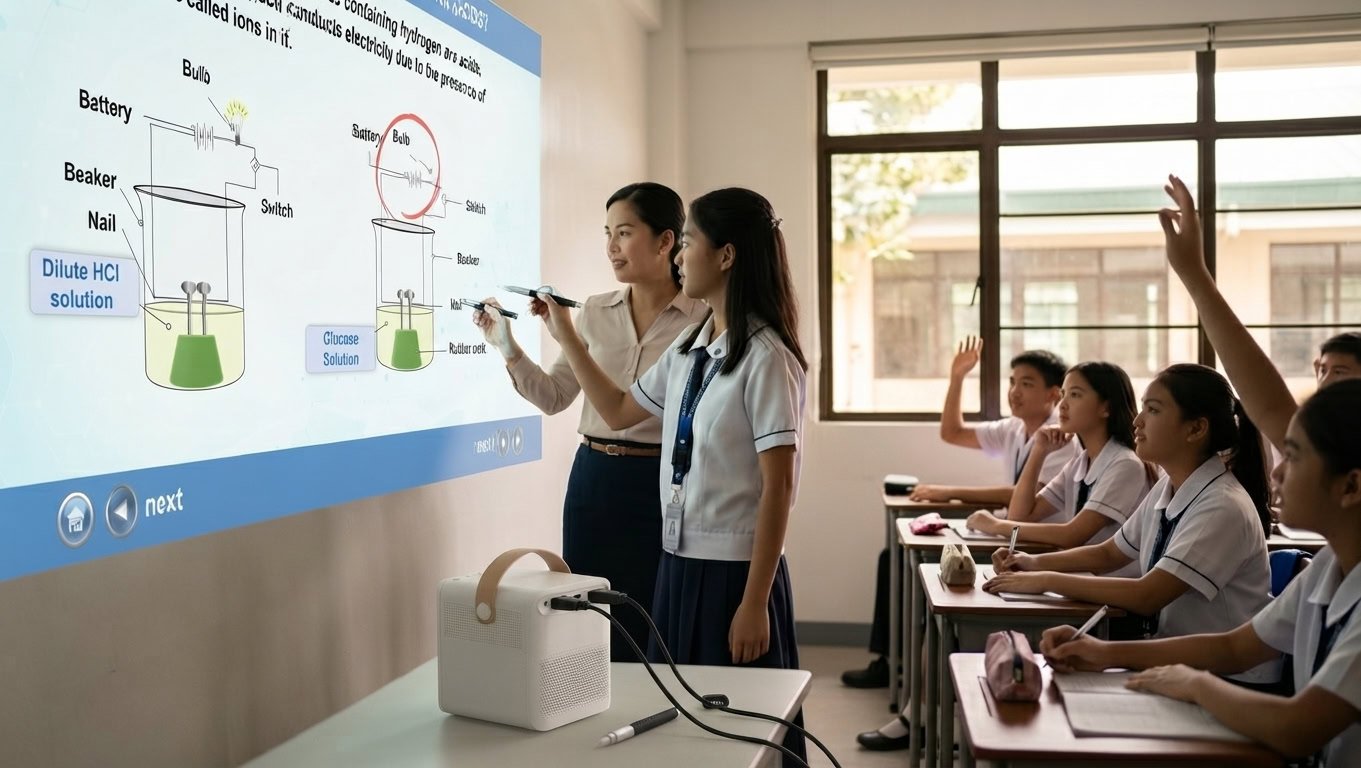
The WBiPro Interactive Smart Projector by Simply Science Global is an all-in-one optical projection and infrared tracking system engineered specifically for educational institutions, smart classrooms, and digital training spaces. By utilizing soft reflected light and real-time infrared tracking, it instantly converts any flat wall surface into a 100-inch interactive workspace.
Before diving into configuration, complete your initial setup using our companion guides:
- Need help connecting your devices? Follow the WBiPro Setup Guide.
- Ready to sync your stylus? Follow the WBiPro ePen Calibration Guide.
Unboxing Inventory & Hardware Layout
Verify that all components are accounted for before beginning installation:
- 1× WBiPro Interactive Smart Projector Unit
- 1× Infrared Tracking ePen
- 1× Infrared Remote Control
- 1× High-Speed HDMI Cable
- 1× USB Data Cable (Type-A to Type-C)
- 1× AC Power Cable
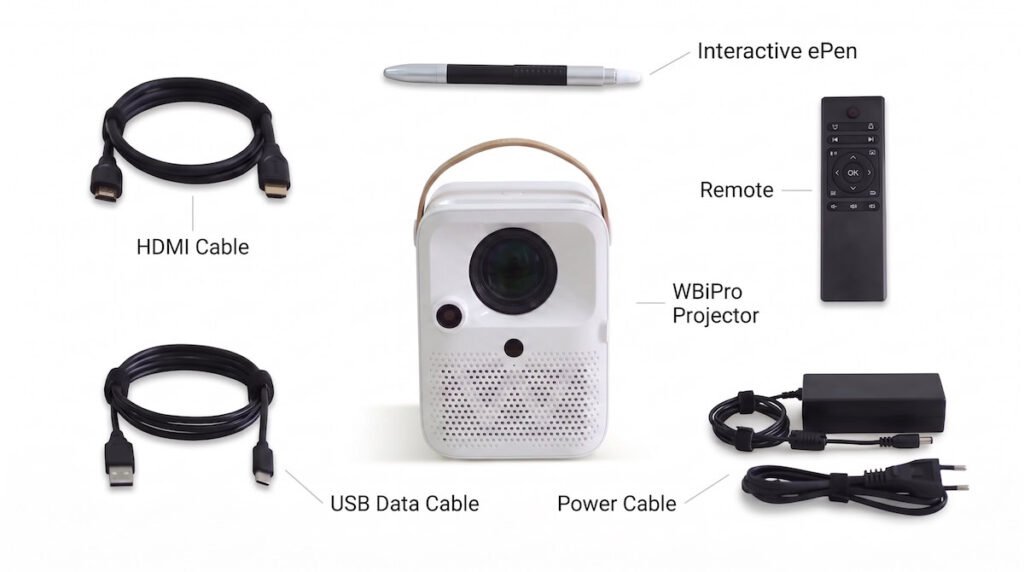
🔴 Note: Remember the Remote Control and Interactive ePen each require 2 AAA batteries to work.
Placement, Surface Compatibility & Throw Distance Guide
The WBiPro integrates a 3.97-inch LCD optical engine paired with a built-in infrared camera array. Achieving reliable touch tracking depends heavily on your physical environment.
Surface Compatibility Checklist
- Supported Surfaces: Smooth concrete walls, standard dry-erase whiteboards, light-colored matte painted walls, and smooth projection panels.
- Surface Constraints: Avoid highly reflective mirrored surfaces or heavily textured masonry, which scatter infrared signals and distort image optics.
Throw Distance & Screen Size Reference Chart
Use this quick reference table to position your projector relative to your classroom or lab dimensions:
| Projection Distance | Diagonal Screen Size | Recommended Environment |
|---|---|---|
| 0.94 m | 30 inches | Small Huddle Room / Desktop Demo |
| 1.80 m | 60 inches | Standard Meeting Room (4–8 people) |
| 2.50 m | 80 inches | Medium Classroom (15–30 students) |
| 3.10 m | 100 inches (Optimal) | Large Classroom / Lab (30–50 students) |
Frequently Asked Questions
What are the exact physical dimensions and weight of the WBiPro projector?
The WBiPro unit measures 13.5 × 10.4 × 14.8 cm and weighs 1.9 kg, making it compact and portable for standard classroom deployments.
What kind of wall surfaces work best with the WBiPro projector?
It works best on smooth, light-colored matte surfaces, standard dry-erase whiteboards, or smooth concrete walls. Highly reflective mirrors and heavily textured brick walls should be avoided.
How far back should the projector be placed to achieve a 100-inch display?
To reach the optimal 100-inch diagonal screen size, the projector should be positioned at a throw distance of 3.10 meters from the projection surface.