
Checking for understanding at the end of an instructional module is key to solidifying learning retention. On the Simply Science Teacher Portal, teachers can utilise Spot Tests—rapid, 2-minute mini-quizzes embedded directly at the bottom of lesson pages—as an engaging, high-energy way to recall the lesson. Projecting these quick checks onto your classroom projection or screen creates an interactive learning moment that students look forward to during group instruction.
Quick Summary
Scroll to the bottom of any completed topic module to launch a Spot Test, invite students to answer live on the interactive display, and review real-time feedback and star rating reports together.
Step 1: Launch the Lesson Spot Test
Conclude your topic presentation with an immediate formative assessment.
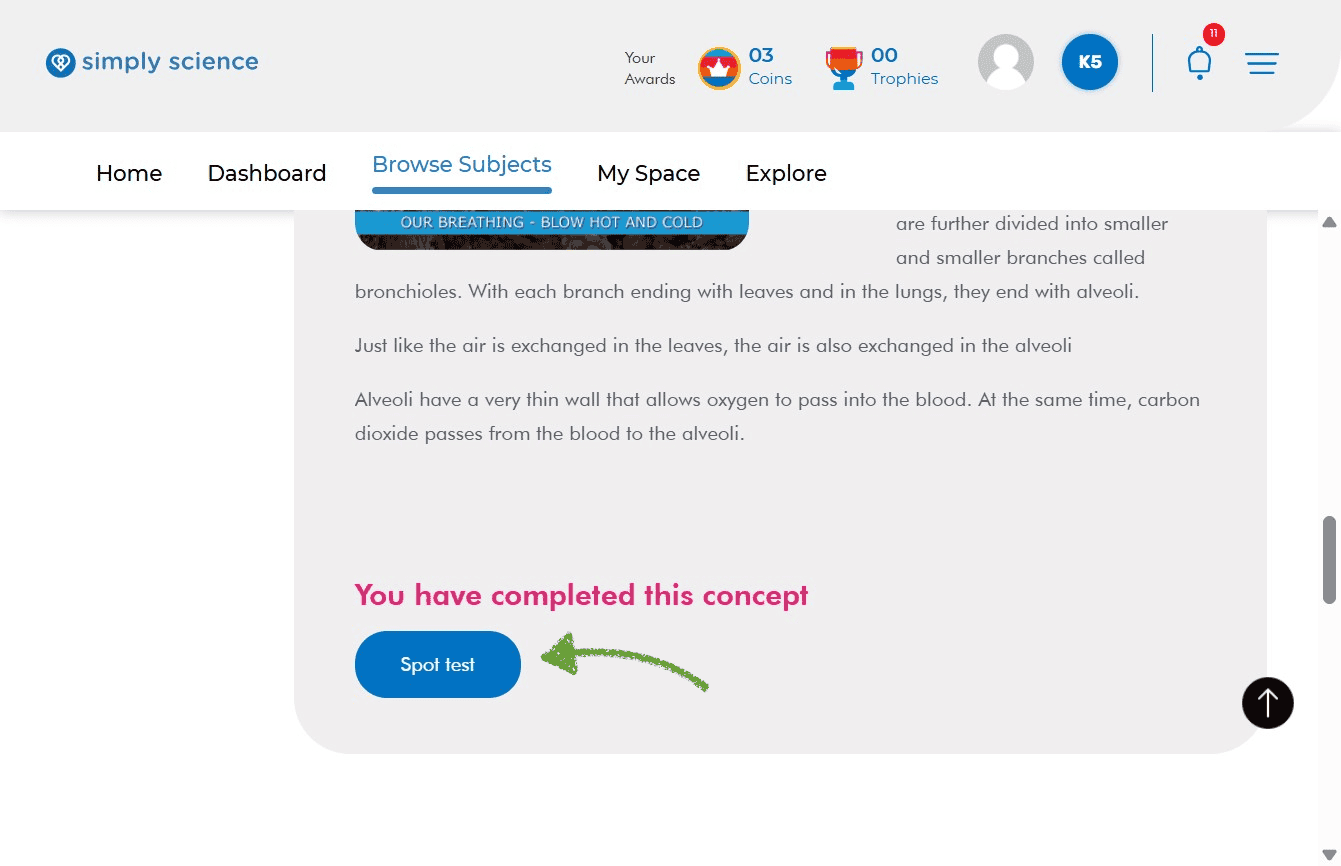
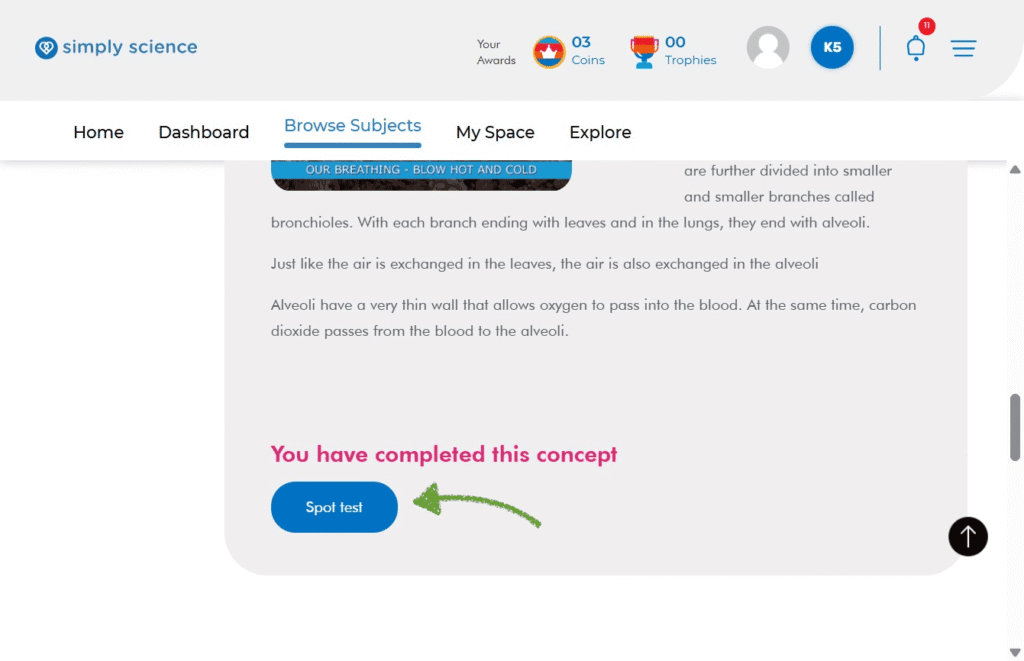
Action: Scroll to the bottom of your completed topic page to the “You have completed this concept” bar and click the blue Spot Test button.
What you will see: A pop-up window loads containing the first question of the topic quiz.
Purpose: Launches an immediate, low-stakes quiz to evaluate student recall before transitioning to a new topic.
Step 2: Answer Questions and Guide Class Interaction
Turn quick quizzes into an active classroom activity where students participate directly on screen.
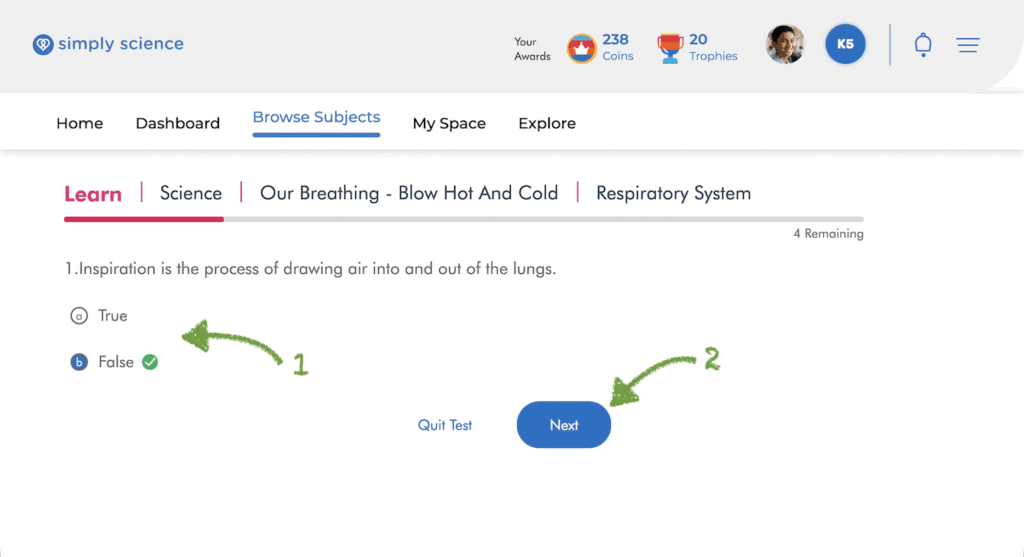
- Display the question on your classroom display and invite a student to come forward or raise their hand to select an answer choice.
- Click the chosen option to receive immediate visual feedback (green checkmark for correct responses, red mark for incorrect choices).
- Click the blue Next button to proceed through the remaining questions.
What you will see: Real-time answer validation on every question, reinforcing key concepts instantly.
Purpose: Drives active classroom engagement and creates a dynamic digital board interaction that students look forward to.
Step 3: Click “Finish Test” to Submit Results
Finalise the assessment once all questions are answered with the class.
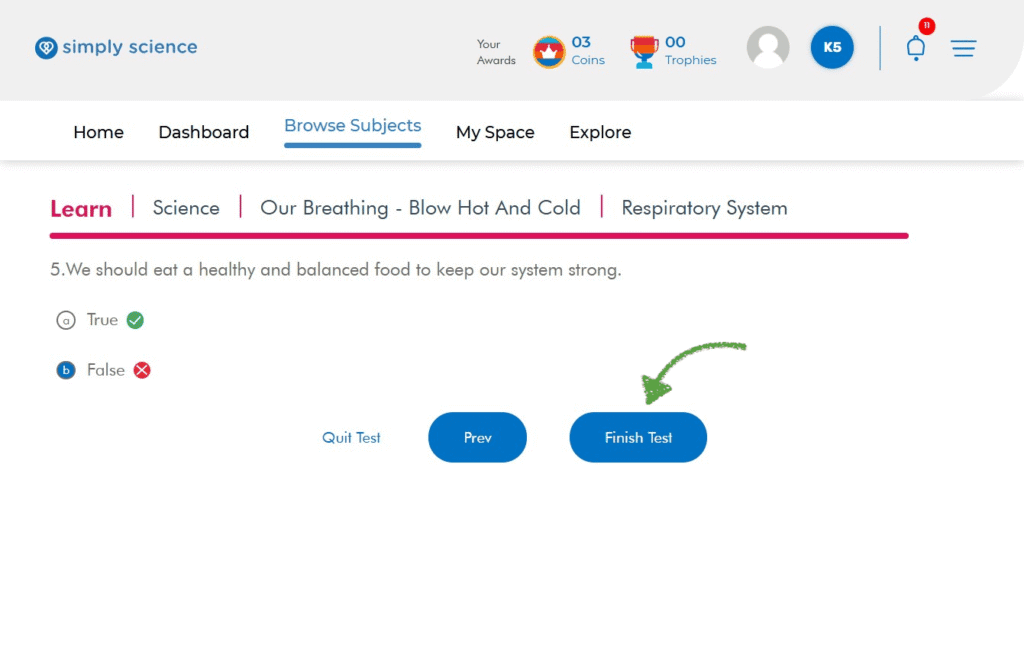
Action: Upon reaching the final question, click the blue Finish Test button.
What you will see: The test submits instantly, loading the score confirmation window.
Purpose: Concludes the quiz submission process so total performance metrics can be calculated.
Step 4: Review Star Scores and Performance Breakdowns
Celebrate success and address misconceptions using instant performance analytics.
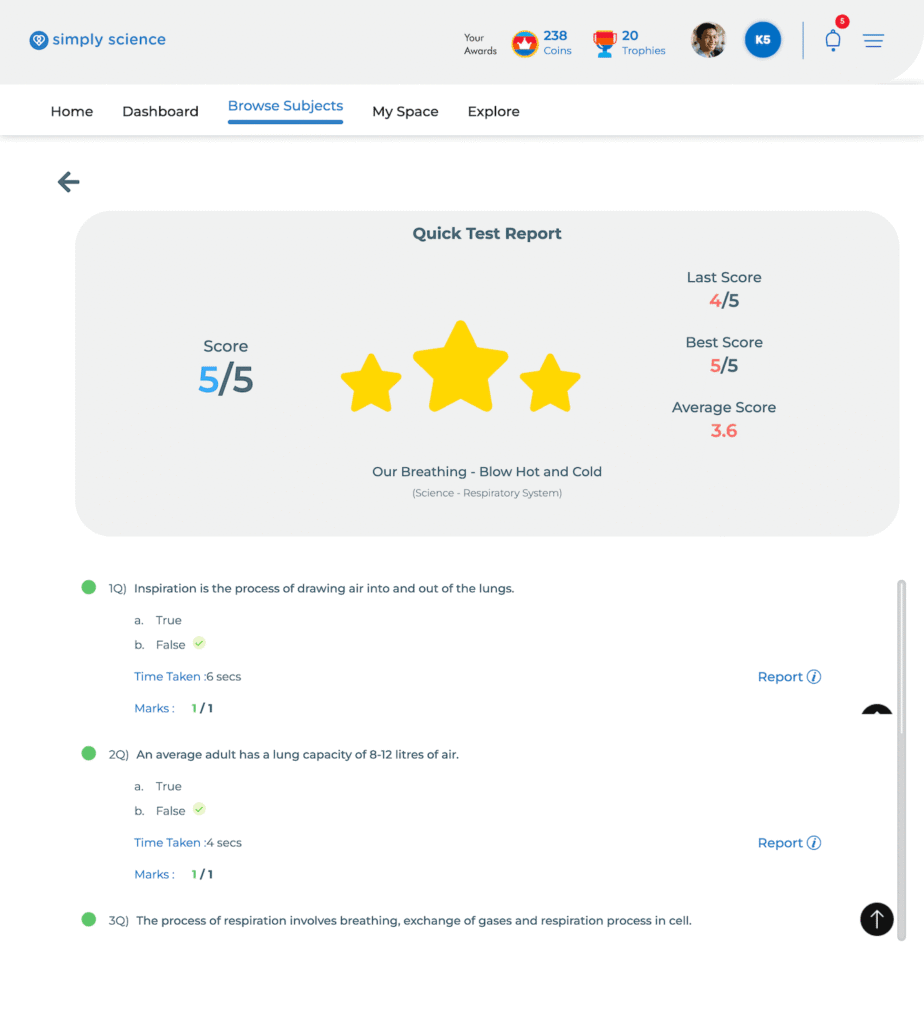
Action: View the Quick Test Report summary window, or click View results on this test in the bottom-right corner for a complete analysis.
What you will see: A star rating scorecard (out of 5 stars) followed by a granular breakdown detailing time taken per question, score history, and question-by-question response details.
Purpose: Provides immediate class feedback, rewards participation, and highlights areas requiring quick teacher clarification.
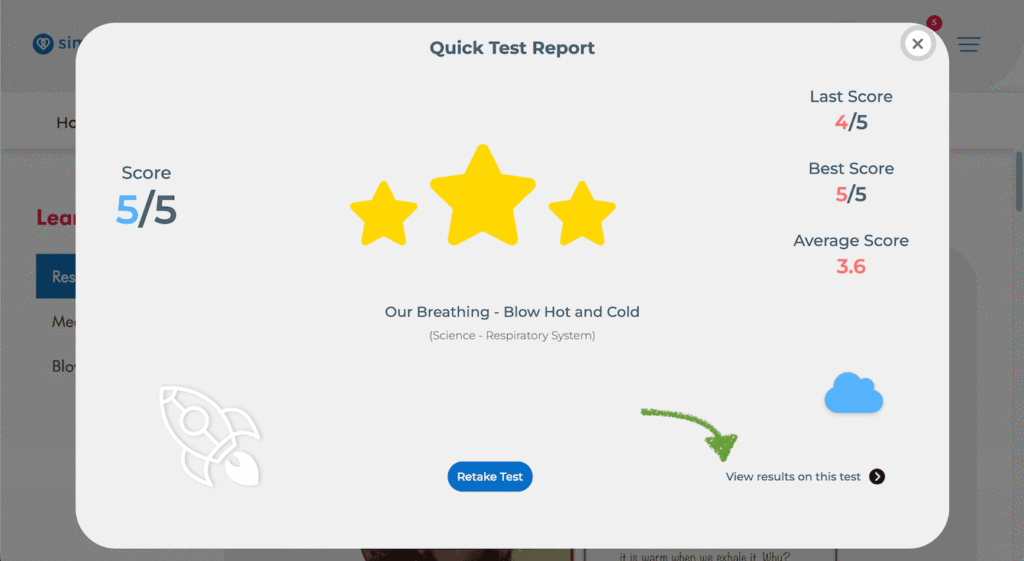
Star Score: See your total score out of 5 and earn bright yellow stars!
Detailed Breakdown: Click “View results on this test” at the bottom right of the report card.
📌 Educator Note: Projecting Spot Tests onto your WBiPro interactive smart projector or digital board turns simple revision into an exciting game-like challenge that builds enthusiasm for science topics.