
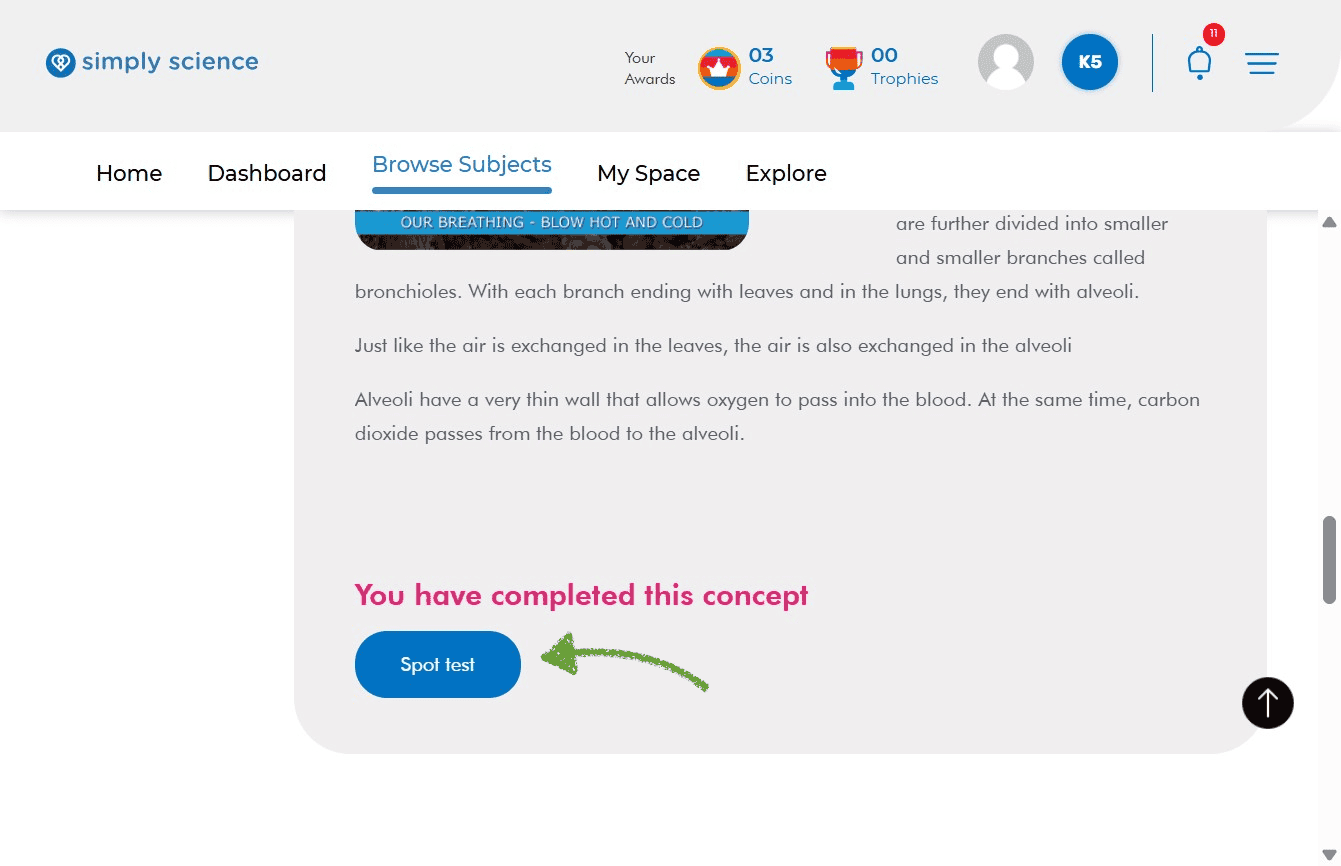
Finished reading your lesson? Test your brain power instantly with a quick Spot Test! Spot Tests are fun mini-quizzes that help you check what you learned in just a couple of minutes.
Follow these simple steps to start your test, answer questions, and check your star rating score.
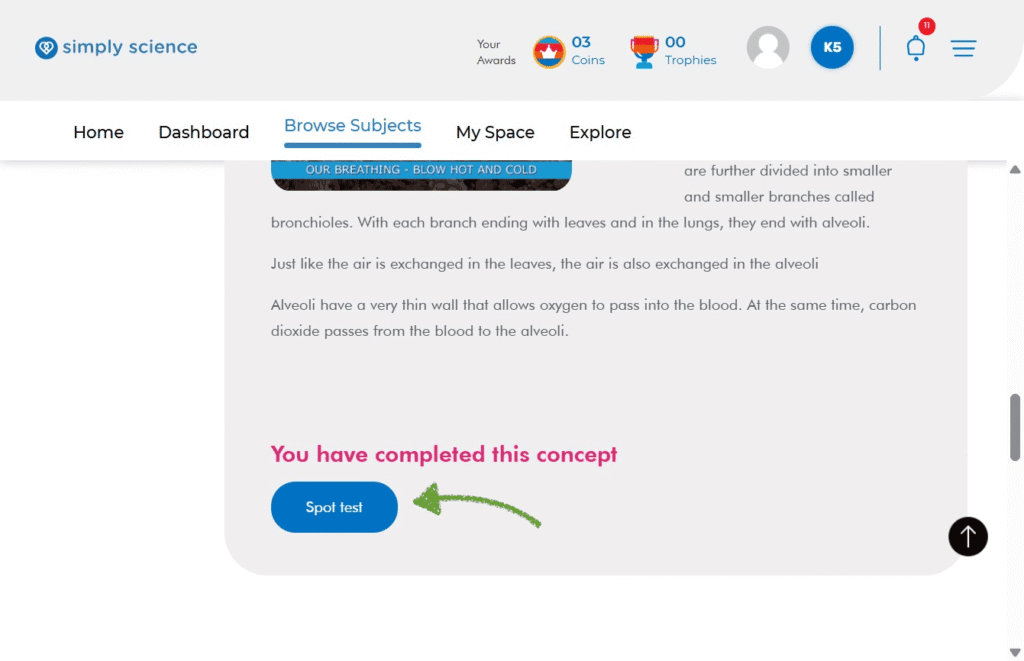
Step 1: Scroll Down and Click “Spot Test”
Whenever you finish reading a topic page, scroll all the way down to the bottom where it says “You have completed this concept”.
Action: Click the blue Spot Test button.
What you will see: Your first quick quiz question will pop up on the screen!
Purpose: Gives you a fast, informal check to see how well you understood the topic.
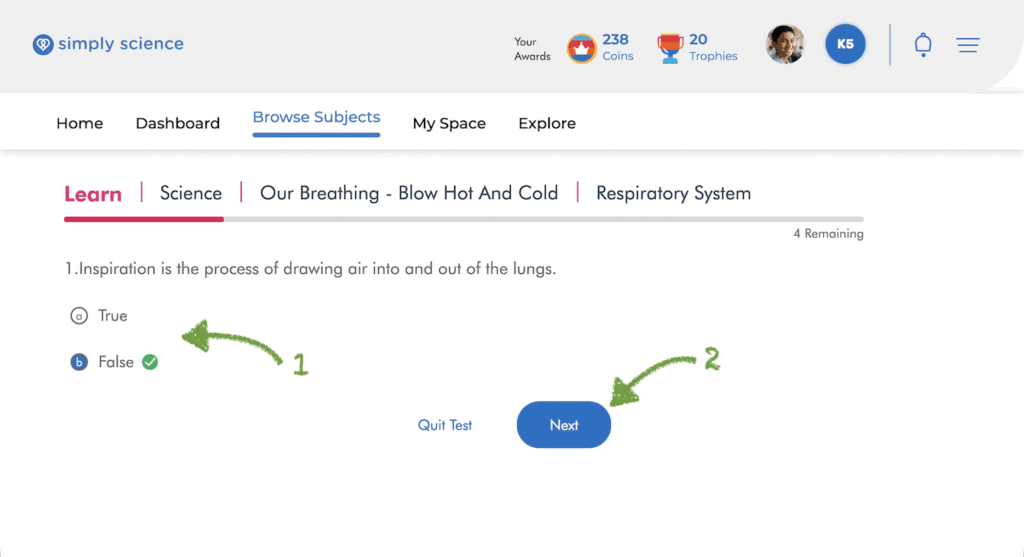
Step 2: Answer Questions and Click Next
Taking the test is super quick and gives instant feedback!
Move Ahead: Click the blue Next button to move to the next question until you answer all of them!
Pick Your Answer: Click the option you think is right. You will instantly see a green checkmark if you got it correct, or a red mark if it was wrong.
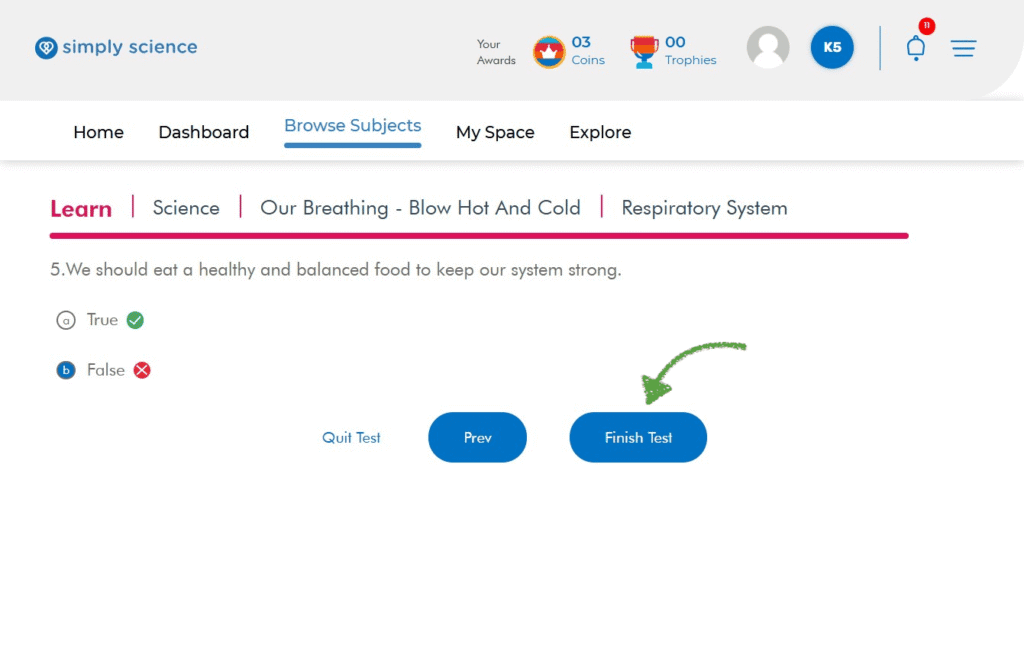
Step 3: Click “Finish Test” to Submit
Once you reach the final question and pick your answer, it is time to turn in your quiz!
Action: Click the blue Finish Test button.
What you will see: Your test submits immediately, and your confirmation summary loads on the screen.
Purpose: Completes and submits your Spot Test so your score can be calculated!
Taking the test is super quick and gives instant feedback!
Step 4: Check Your Stars and Detailed Results
Once you answer the final question, your Quick Test Report will pop up!
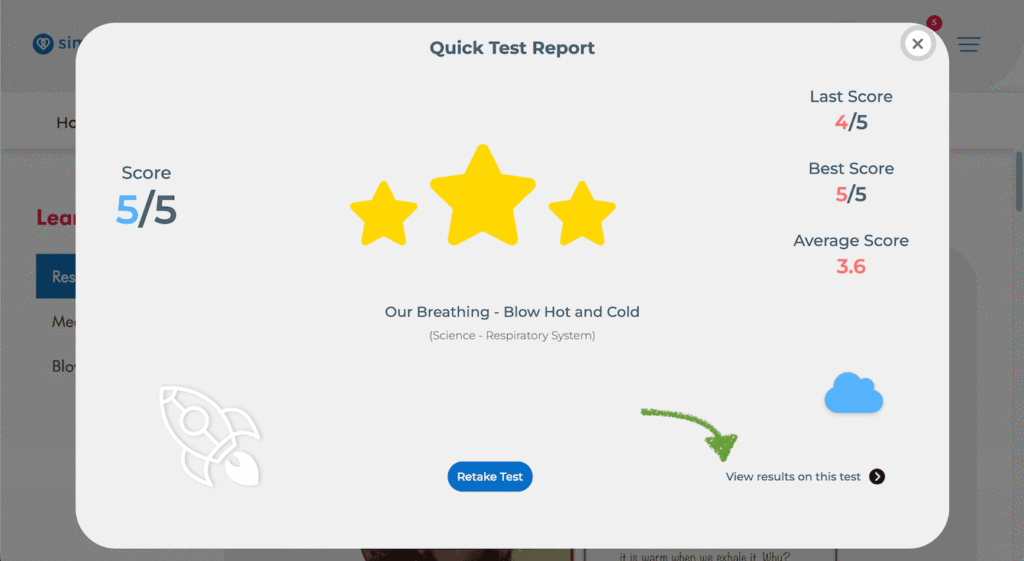
Star Score: See your total score out of 5 and earn bright yellow stars!
Detailed Breakdown: Click “View results on this test” at the bottom right of the report card.
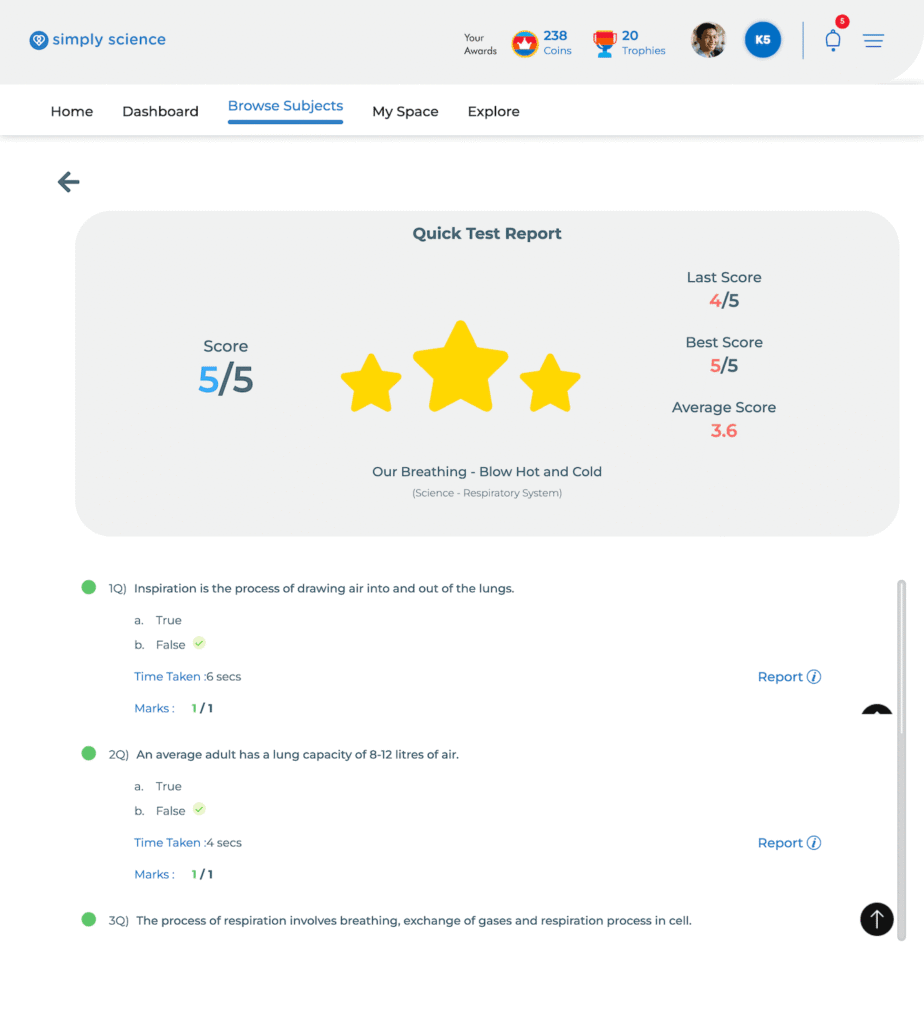
What you will see: A full report breakdown showing your time taken per question, your score history, and exact answer choices!
💡 Classroom Note: Scoring 3 stars on your Spot Tests at home is the best way to earn coins and prepare for live interactive board games in class!