
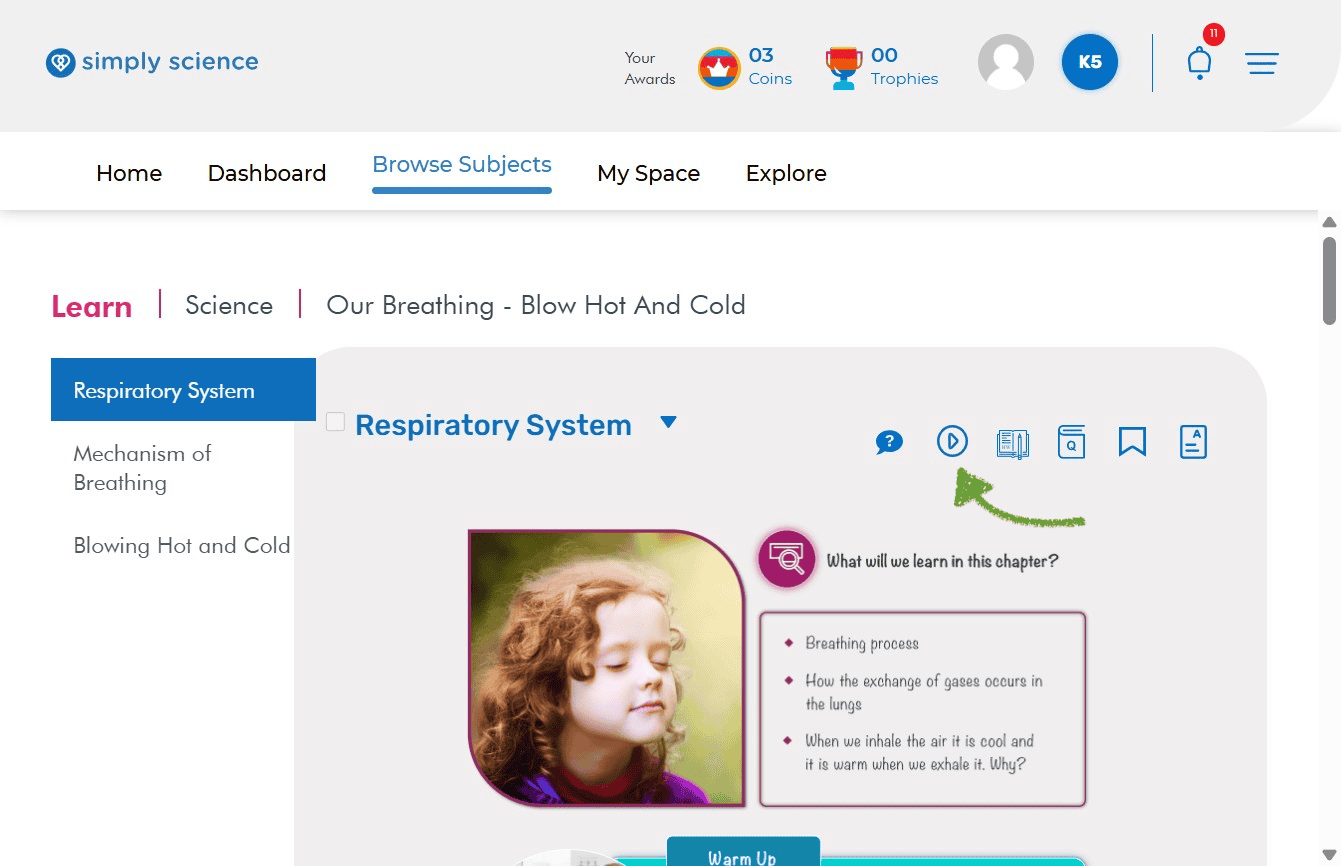
Did you know you can watch cool video lessons for your science topics? Videos make learning super fun and easy to understand!
Follow these simple steps to find, play, and control videos inside your lessons.
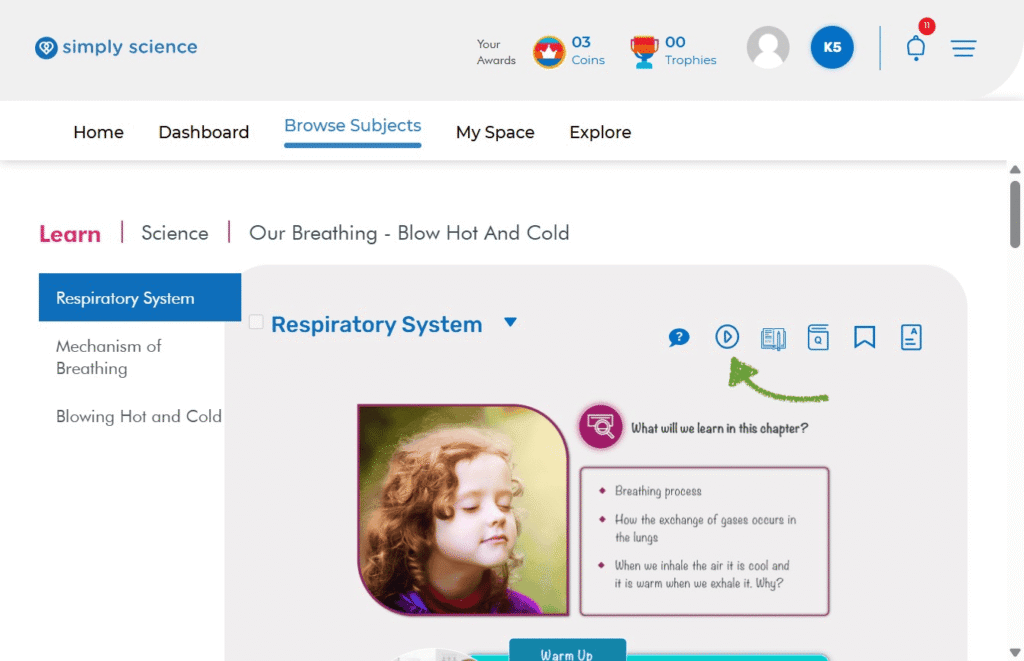
Step 1: Click the Video Play Button Icon
When reading a lesson topic page, look at the top-right corner near your topic title. Click the Play Icon (the circle with a play triangle inside) to open the video launcher!
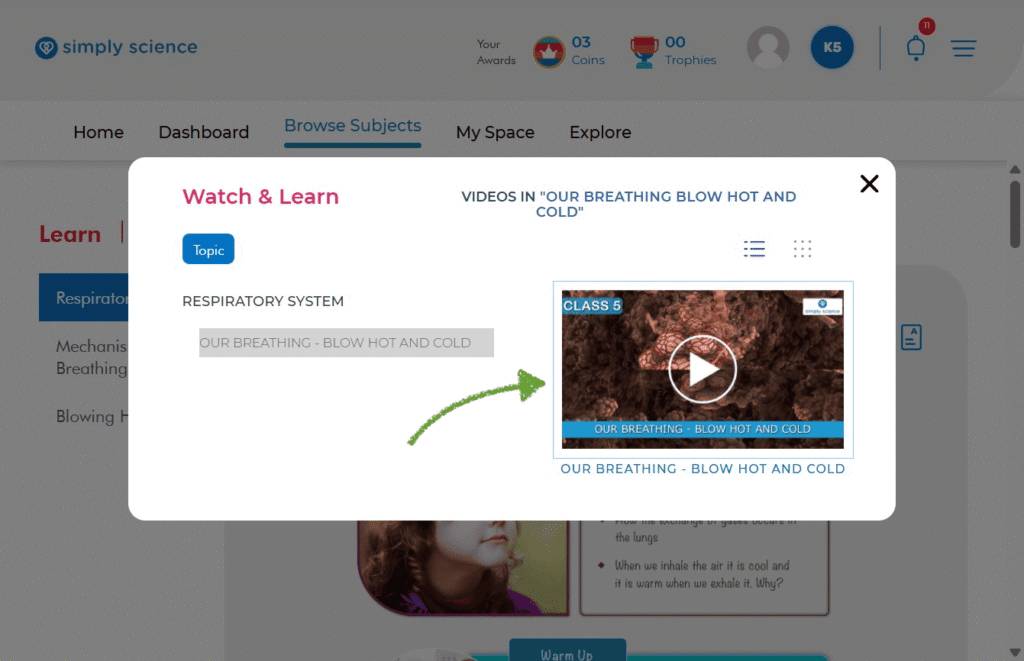
Step 2: Choose Your Video and Click Play
A pop-up window titled Watch & Learn will appear on your screen. Click directly on the video preview thumbnail or the big Play Button to launch the video player.
Step 3: Turn On Sound and Close the Video
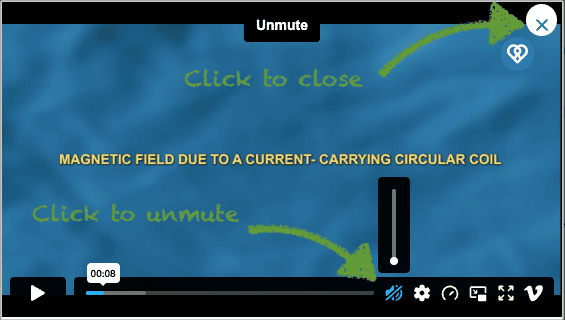
Once the video opens in full view:
To Unmute Sound: Click the Mute/Unmute Icon (the speaker at the bottom right) or the volume bar to turn the audio on so you can hear the narrator!
To Close the Video: Click the white X button in the top-right corner when you are finished watching to return to your lesson page.
💡 Classroom Note: Watching these short videos at home before class helps you answer questions faster during wBipro live digital board games with your teacher!