Want to learn about plants, animals, space, or how your body works? Finding your lessons on Simply Science is super easy!
Follow these four simple steps to go from your main menu straight into your fun science lessons.
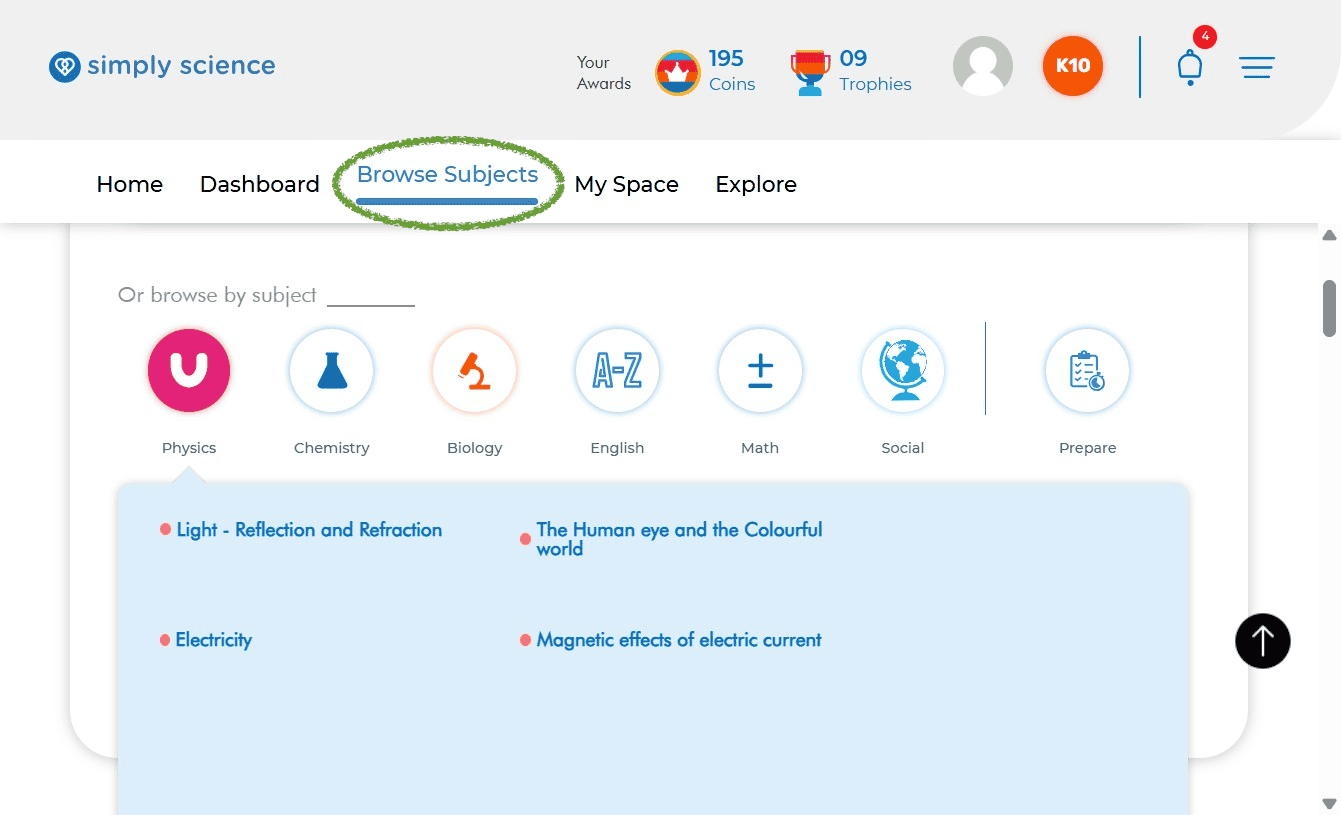
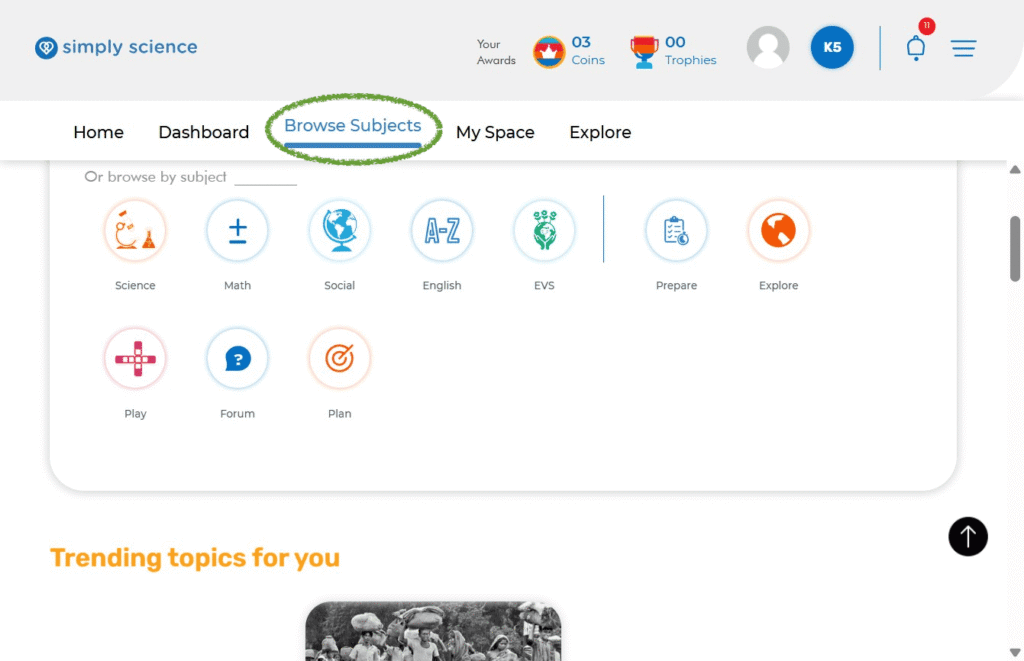
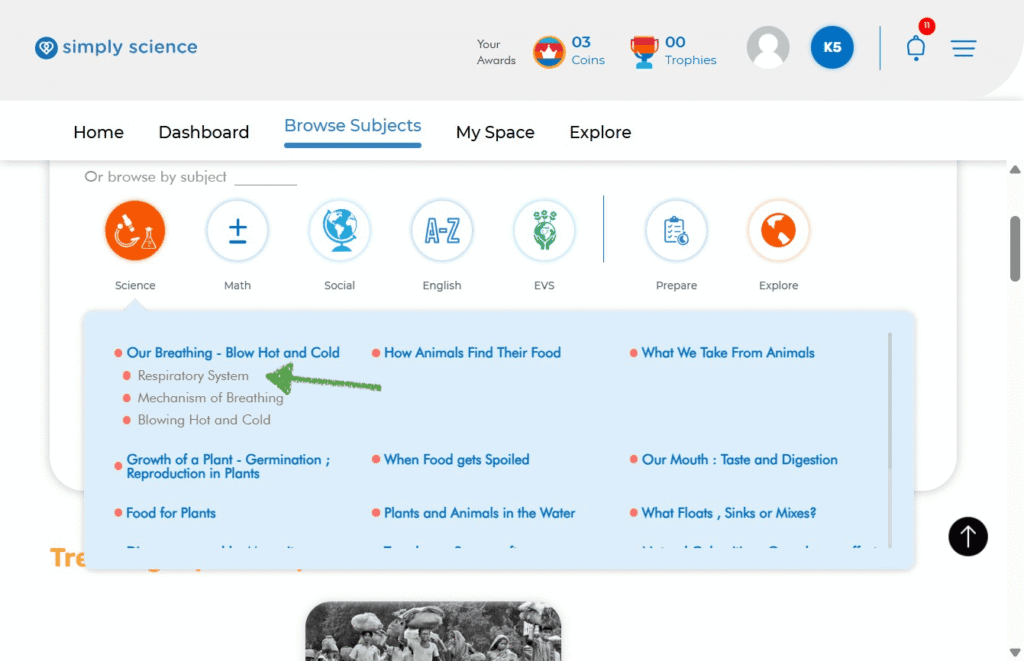
Step 1: Click “Browse Subjects”
Look at the top menu bar on your screen and click Browse Subjects. This opens up your main subject menu where all your learning topics are kept!
Step 2: Choose Your Subject and Pick a Chapter
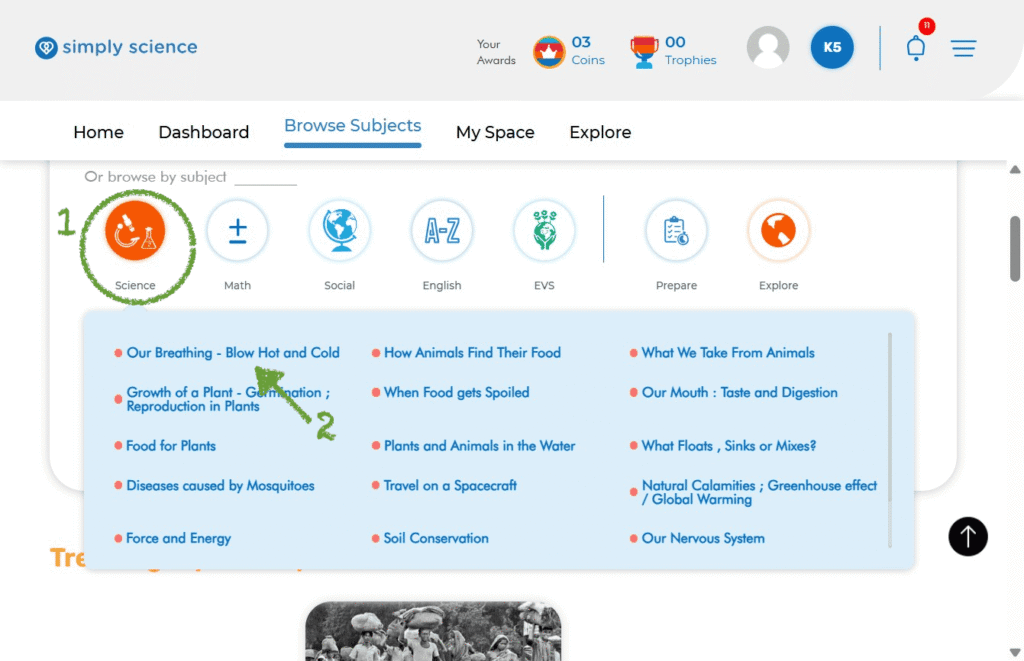
- Click on the orange Science icon (or whichever subject you want to study).
- A blue menu list will pop up showing all your chapters!
- Click on the chapter you want to learn today (for example: Our Breathing – Blow Hot and Cold).
Step 3: Pick Your Specific Lesson Topic
Under your chosen chapter, you will see smaller topics listed. Click on the topic you want to study (for example: Respiratory System).
Step 4: Start Learning on Your Content Page!
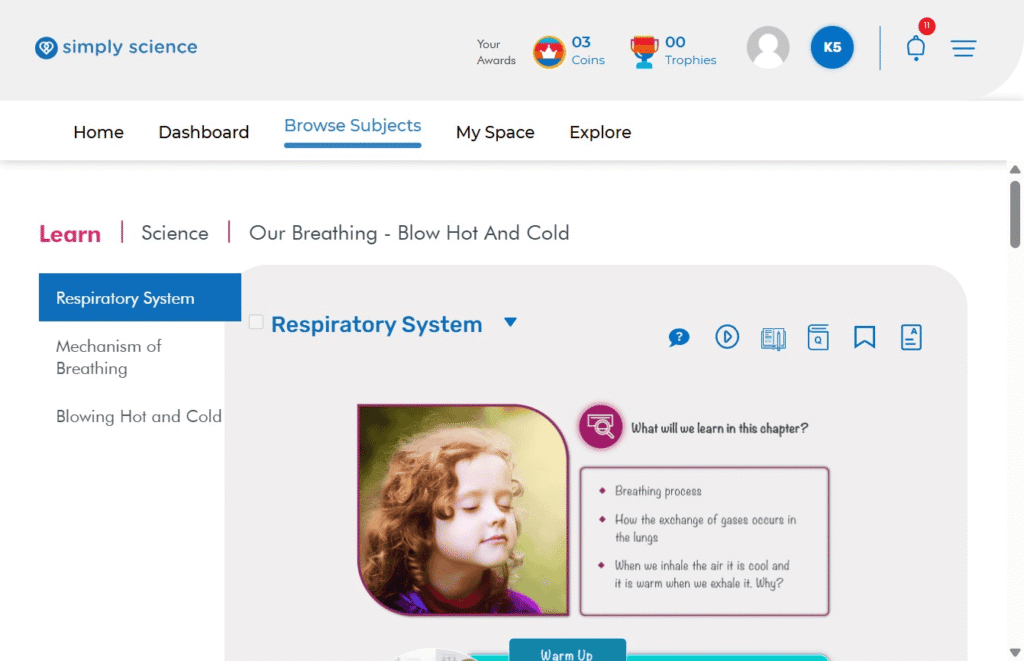
You are now on your main lesson page! Here is what you can do on this screen:
- Left Menu: Switch between different topics in your chapter anytime.
- Top Path (Breadcrumb): See where you are (
Learn | Science | Our Breathing - Blow Hot And Cold). - Lesson Area: Read cool facts, view pictures, watch videos, and try fun warm-up activities!