
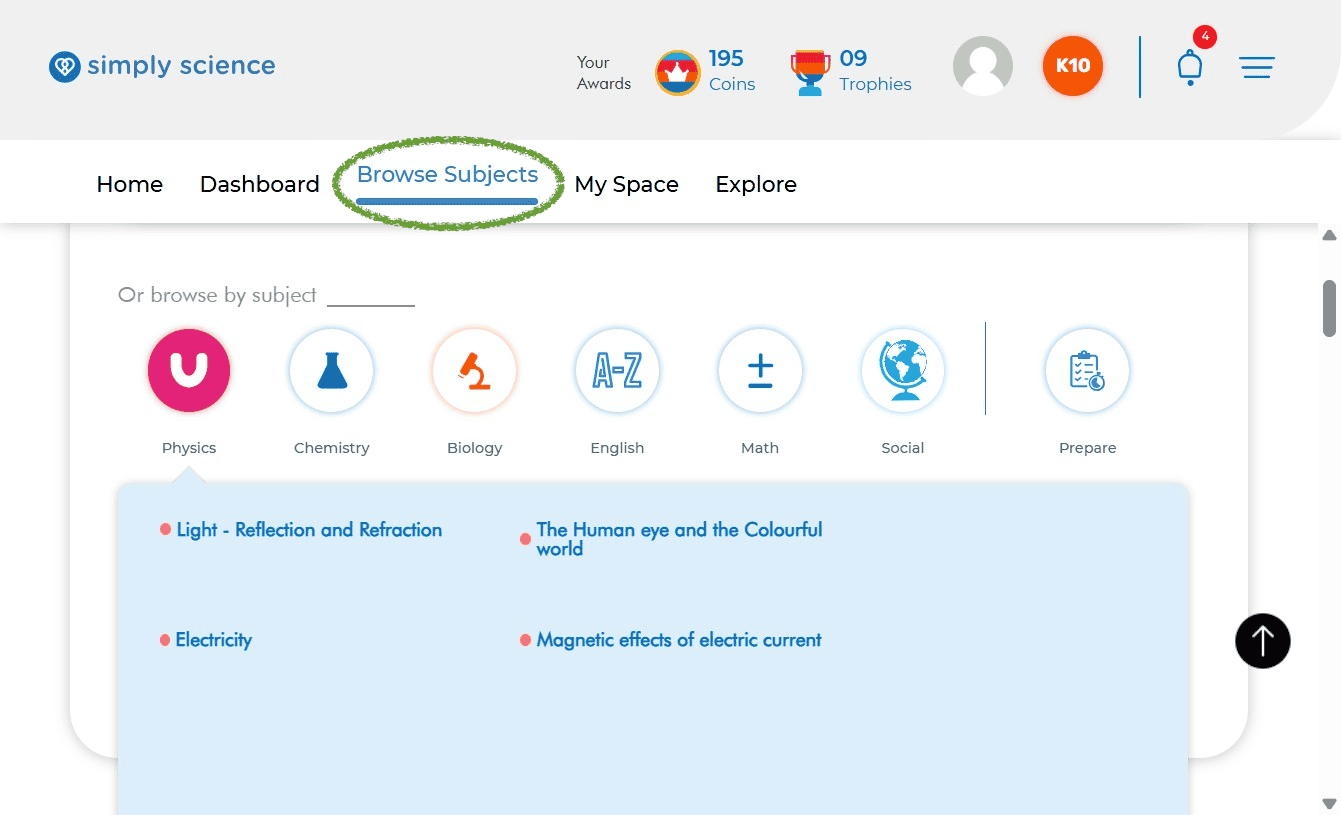
Finding the right lesson plan and instructional content is quick and intuitive on Simply Science. Educators can easily browse by subject, chapter, and specific topic to access interactive presentations, lesson notes, and classroom teaching resources.
Quick Summary
Use the Browse Subjects tab on your main menu to select a subject, pick a chapter, and open specific lesson topics for classroom instruction.
Step 1: Access the Subject Catalog
Navigate to your main top menu bar to explore available curriculum subjects for your active class level.
Action: Click on Browse Subjects in the top navigation bar.
What you will see: A structured layout showing all available subjects (such as Physics, Chemistry, Biology, or General Science) assigned to your active grade level.
Purpose: Takes you directly to the subject catalog for lesson planning and content delivery.
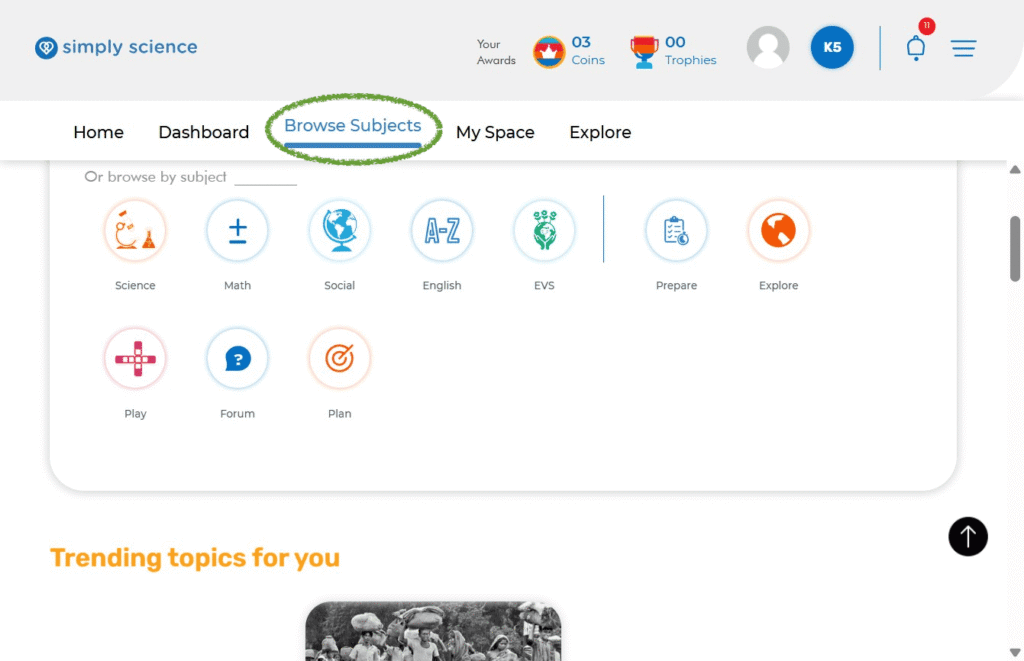
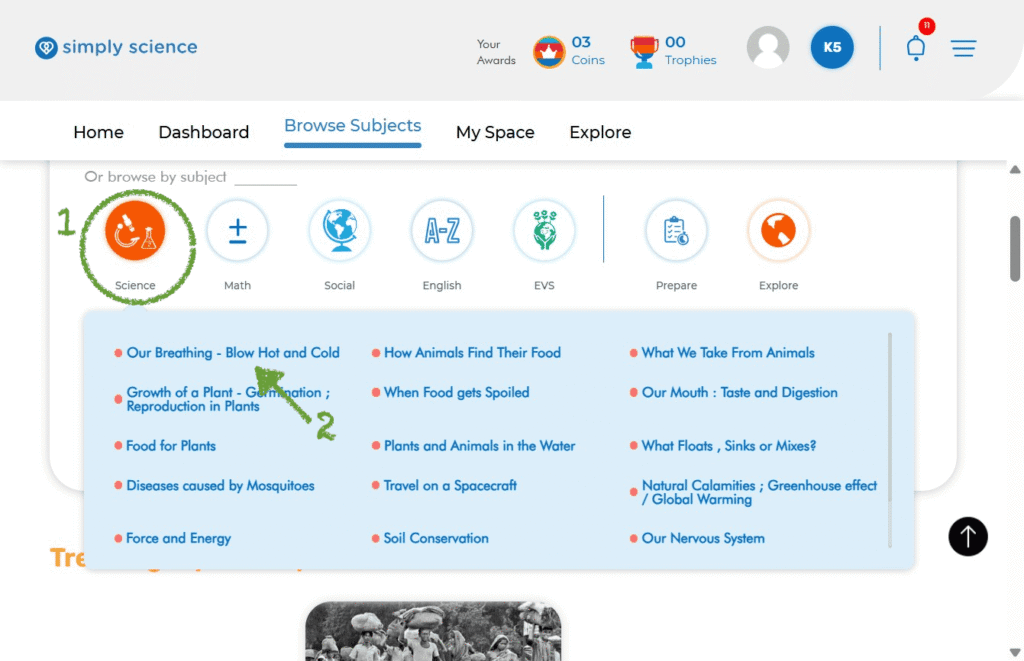
Step 2: Select Your Target Subject & Chapter
Locate the exact topic you plan to teach by narrowing down through chapters and sub-topics.
- Click on the desired Subject Card to open the full chapter directory.
- Scroll through the chapter list and click on your target Chapter Title to expand its contents.
What you will see: The lesson page opens, displaying interactive concept cards, key diagrams, animations, and learning objectives.
Purpose: Loads complete teaching media and core learning content ready for screen sharing or digital board display.
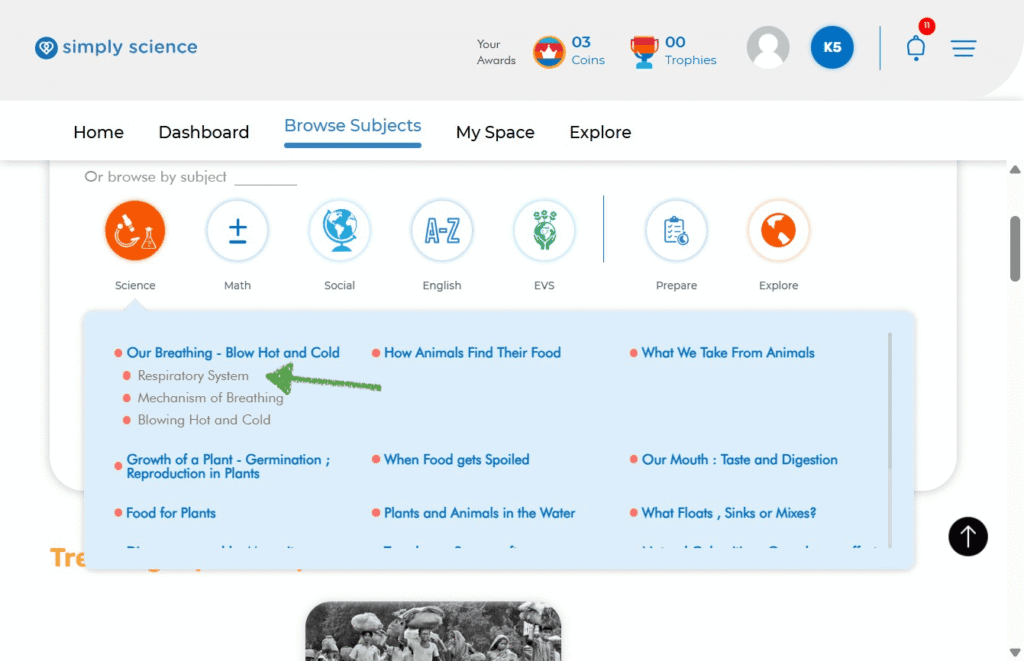
Step 3: Pick Your Specific Lesson Topic
Select the exact teaching topic required for your upcoming lesson or classroom presentation.
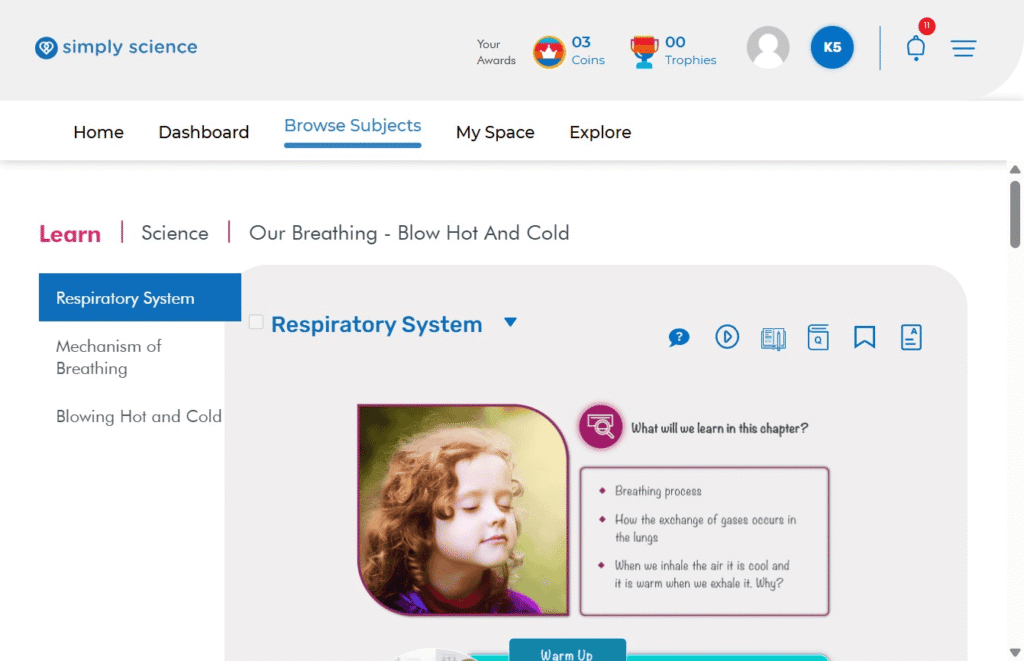
Action: Under your chosen chapter, click on the specific topic title (for example: Respiratory System).
What you will see: The platform loads the complete interactive content module for that topic.
Purpose: Opens the specific teaching materials needed for your instruction session.
Step 4: Present and Navigate Your Content Workspace
You are now in your interactive teaching workspace! Use these key layout features to conduct your lesson:
Left Navigation Panel: Easily jump between different sub-topics within the chapter without returning to the main menu.
Top Breadcrumb Trail: View your current location path (e.g., Learn | Science | Our Breathing – Blow Hot And Cold) to keep your curriculum flow structured.
Interactive Lesson Canvas: Present detailed concept explanations, high-resolution diagrams, embedded videos, and warm-up class discussion prompts directly on your screen or digital board.
📌 Educator Note: You can present lessons directly onto your WBiPro interactive smart projector or digital board straight from the browser, making classroom engagement interactive and seamless.